File Match
BUILT NATIVELY FOR MACOS • 100% ON-DEVICE PRIVACY
Smart Duplicate File Detection
Recover gigabytes of disk space instantly with high-speed local hash matching, deep folder indexing, and zero cloud tracking.

Designed for Speed. Built for macOS.
Find and Clean Duplicate Files, Natively on Mac
Key Features
100% Local File Scanning
Your file paths, directory structures, and personal contents stay strictly on your Mac. No external indexing or cloud server processing.
Smart Hash Matching
Pinpoint exact duplicate files locally using cryptographic checksums without compromising personal privacy.
Privacy-First Analytics
Powered by TelemetryDeck for zero-PII, anonymous app usage metrics. No trackers, ad networks, or telemetry on your actual files.
Simple, Transparent Pricing
Get full lifetime access with zero subscriptions. Claim your special launch price before it returns to its standard rate.
Standard Price: $14.99Special Launch Price: Free (Limited Time)
System Requirements
Built natively for macOS. Designed to run fast and efficiently on Apple hardware.
Frequently Asked Questions
Do you upload my files or scan results to the cloud?
No. All file matching, folder traversal, and cryptographic hashing happen 100% locally on your Mac. Your folder contents and directory paths never leave your device.
How does File Match find duplicates safely?
It compares file sizes first for rapid filtering, then performs full cryptographic SHA256 checksums on chunks of the file to guarantee bit-for-bit accuracy before you choose to delete or move items to the Trash.
Is there a subscription fee?
No. File Match is a straightforward, one-time lifetime purchase. Buy it once and own it forever with no recurring software subscriptions.
Privacy Policy | Terms of Service
Questions or feature requests? Contact Support
© 2026 Syntactic Labs. All rights reserved.Mac, macOS, and Mac App Store are registered trademarks of Apple Inc., registered in the U.S. and other countries.
PRIVACY POLICY
Effective Date: August 19, 2026---Overview
File Match was created with a fundamental commitment to user privacy. We believe your files and personal data should remain entirely private, secure, and under your direct control. File Match is designed from the ground up as a local-first application.---File Data & Local Storage
File Match does not collect, store, transmit, or upload any file contents, directory paths, or personal data you scan, match, or process within the app.* All file scanning and matching operations are performed 100% locally on your Mac.
* Your data never touches our servers, third-party cloud services, or external networks.
* We do not have access to your files or folder records under any circumstances.---Anonymous App Analytics (TelemetryDeck)
We currently do not collect any analytic data. However, if we later decide to see what features are most important and how we can improve the app, we will use TelemetryDeck, a privacy-first analytics provider.* No Personal Data: TelemetryDeck collects minimal, non-identifiable usage signals. It does not collect personal information, IP addresses, location data, or any file content.
* Privacy Compliance: TelemetryDeck is fully compliant with GDPR and global privacy regulations. For details, visit telemetrydeck.com/privacy.
* Our Commitment: We will never upload user data or track personal files.---Direct Feedback
You can share your feedback, feature requests, or bug reports directly with us.Contact: [email protected]
File Match Support
Native macOS Duplicate File CleanerNeed help scanning a folder, have a feature request, or want to report a bug? We are here to help.---Quick Self-Service FAQHow do I scan a folder for duplicates?
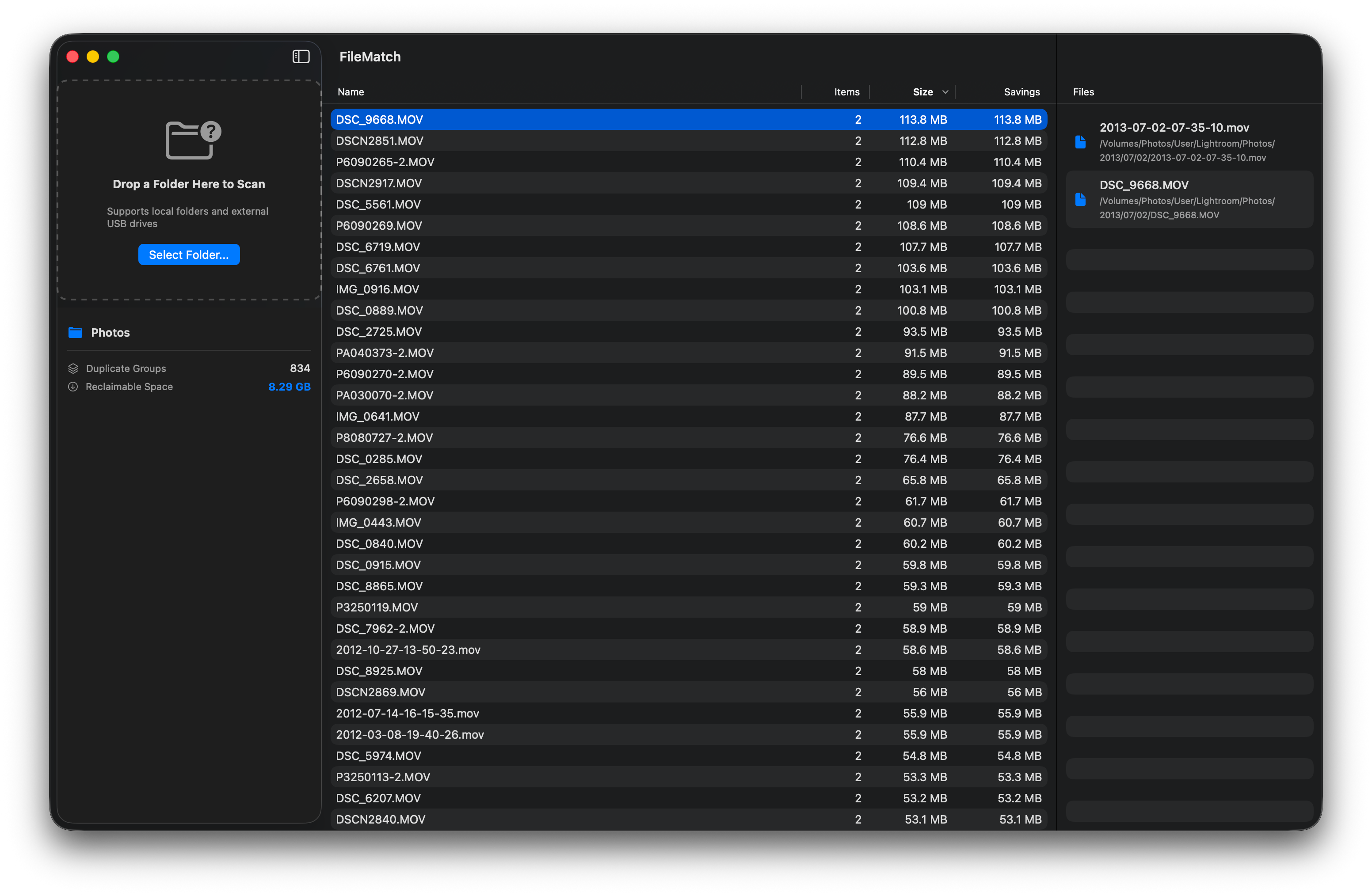
Drag and drop any folder onto the File Match window or use the folder picker to select a directory. File Match will instantly group files by size and perform local hash verification to find exact duplicates.Are my files uploaded to a cloud server?
No. File Match operates on a 100% local-first architecture. All file scanning, hashing, and matching operations happen entirely on your Mac. We do not upload your files, track your folder paths, or host cloud databases.How does File Match safely clean up files?
File Match groups identical duplicates side-by-side with full size, path, and metadata visibility. When you choose to clear space, duplicate items are safely moved to your macOS Trash, allowing you to review them before permanent deletion.What macOS versions are supported?
File Match requires macOS 14.6 or later. It is fully compiled as a Universal Binary, optimized for both Apple Silicon (M1–M4) and Intel processors.---Contact SupportIf you need direct assistance, found a bug, or want to suggest a feature:* Email: [email protected]
* Response Time: We respond to technical queries within 24–48 hours.When reporting a bug, please include your current macOS version and your Mac model (e.g., M2 MacBook Air) to help us resolve the issue faster.---Privacy Policy • Terms of Service© 2026 Syntactic Labs. Mac, macOS, and Mac App Store are registered trademarks of Apple Inc.